
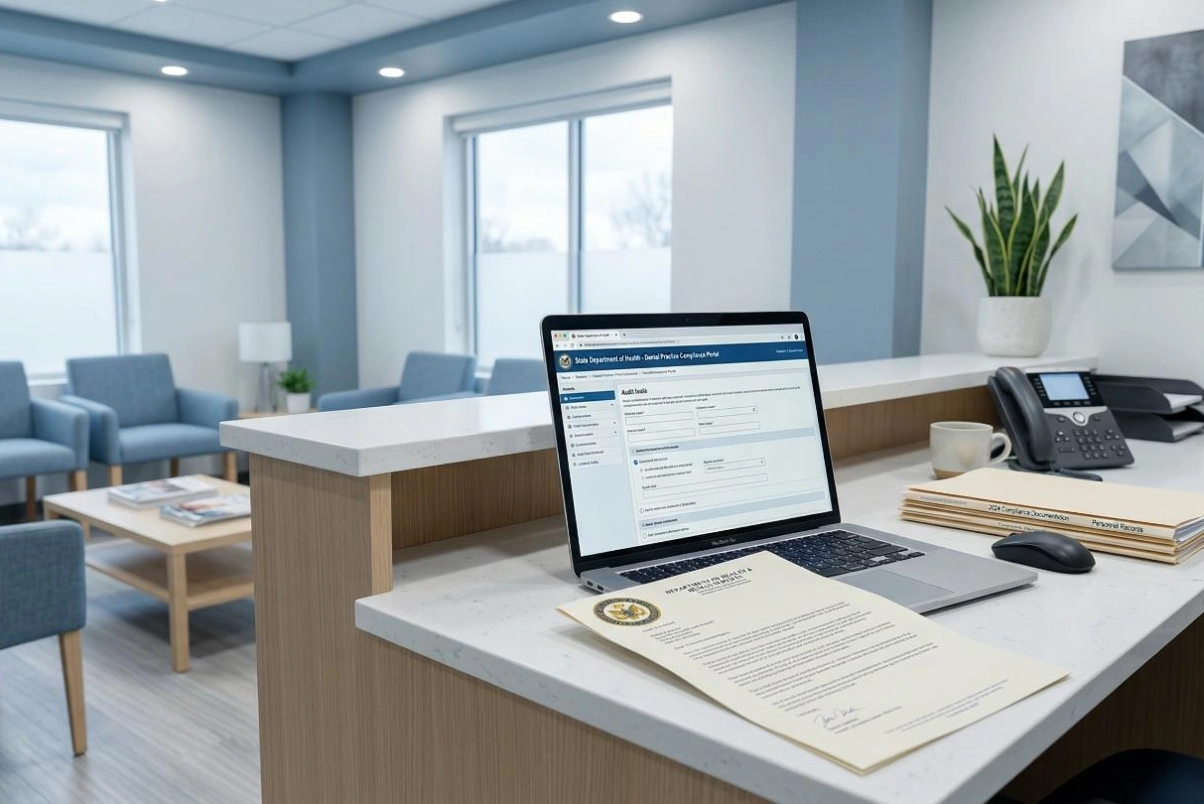
There are more than 200,000 dentists in the United States, and most of them work out of a single location. As of 2024, 34% were solo practitioners and another 39% practiced alongside other dentists at one location, according to the ADA Health Policy Institute. Roughly three quarters of American dentistry is delivered from offices too small to employ anyone whose actual job is security.
In the practices I assess, the pattern is consistent. No formal HIPAA security risk analysis has ever been completed. Not once. That is my professional observation from this work rather than a published figure, because nobody publishes a count of which dental practices have completed one.
If you own or manage a dental practice, this post is going to cover what OCR is actually penalizing dental practices for right now, why your practice management software is likely creating compliance gaps you do not know about, and what your cyber insurance carrier is going to ask for at your next renewal — whether you are prepared or not.
Dental practices are not small, low-value targets. They are data-rich, security-poor, and increasingly on the map for ransomware operators.
Consider what a typical dental practice holds on every patient: full legal name, date of birth, Social Security number, insurance information, treatment history, X-rays and imaging, and financial payment data. That combination of personal, medical, and financial information is exactly what cybercriminals sell on dark web markets and exactly what makes a breach expensive to resolve.
At the same time, most dental practices run with one to five dentists, five to twenty-five total staff, and either no IT support at all or a local IT company that manages hardware and software but has no understanding of HIPAA security requirements. That gap between the value of your data and the maturity of your defenses is what makes dental offices attractive targets.
The largest cybersecurity losses in dentistry, though, have not come from individual practices. They have come from the vendors and benefit administrators that aggregate dental data. In May 2026, dental benefits administrator DentaQuest, which manages coverage for roughly 32 million Americans, was breached by the ShinyHunters extortion group, with notifications going to more than 15 million individuals. That surpassed the 2023 ransomware attack on Medicaid dental administrator MCNA, which exposed the records of 8,923,662 people. Verizon's 2026 Data Breach Investigations Report found that 32% of healthcare breaches involved a third party.
The Office for Civil Rights does not only go after hospitals. Some of its most notable recent enforcement actions have been against solo and small-group dental practices.
The wider enforcement record looks different from what many people assume. OCR's dental enforcement clustered in 2022, when the agency announced seven penalties against dental practices, most of them under its Right of Access initiative. OCR announced no enforcement actions against dental practices in 2025, and it does not publish enforcement data broken out by provider specialty: dental practices sit inside its broad Private Practices and Physicians category, so nobody can source a dental enforcement trend from OCR's own statistics.
The largest financial penalty in a dental HIPAA matter did not come from OCR at all. In December 2024 the Indiana Attorney General secured a $350,000 consent judgment against Westend Dental, an Indianapolis practice with six locations, over a ransomware attack in October 2020 that the practice did not report until October 2022. The Attorney General alleged the practice attempted to cover up and deny the incident, and also cited improper disclosures of patient information in public Google reviews and in social media posts containing patient x-rays. That figure is more than four times the largest penalty OCR has ever imposed on a dental practice.
The Right of Access rule — which requires practices to provide patients with timely access to their own records — has become one of OCR's most active enforcement areas. Dental practices repeatedly show up in these cases because their workflows around patient records are informal, undocumented, and handled differently by every staff member.
Two different failures show up in these cases, and they are worth separating. The Right of Access cases turn on process: no documented procedure for handling a records request, and nobody clearly accountable for answering one. The Security Rule cases turn on a single document, which is why OCR's Risk Analysis Initiative settlements all cite the same failure to conduct an accurate and thorough risk analysis. A dental practice can be exposed on either one, independently of the other.
This is one of the most common misconceptions in dental security, and it costs practices every year.
Dentrix, Eaglesoft, and Open Dental are the dominant practice management platforms in dentistry. Each of these vendors will tell you their software is built to support HIPAA compliance. What they will not tell you — because it is buried in your Business Associate Agreement — is that HIPAA compliance is your responsibility, not theirs. The software is a tool. How you configure it, who has access to it, how it is backed up, and whether it is connected to other systems securely is entirely on you.
The most common configuration gaps found in dental practice management software include:
None of these are software failures. They are configuration and process failures — and they are exactly what an OCR investigator or a ransomware group will find.
The proposed HIPAA Security Rule would eliminate the distinction between "addressable" and "required" implementation specifications. That distinction is the loophole that has allowed small practices to skip controls they deemed unreasonable or unnecessary, and the proposal would close it.
To be precise about where this stands: it is a proposed rule, published January 6, 2025, with the final rule currently projected for July 2027. That projection has moved before. The Security Rule in force today is the one from 2005, and OCR is enforcing that one now.
Here is what the proposal would make mandatory for every dental practice, regardless of size:
| Requirement | What It Means for Your Practice |
|---|---|
| Encryption of all ePHI at rest and in transit | Patient records stored on your server or sent via email must be encrypted. |
| MFA for all ePHI access | Every login to your practice management software, email, and billing platform requires multi-factor authentication. |
| Annual HIPAA security risk assessment | A documented risk assessment must be completed and updated every year. |
| Annual penetration testing | Your systems must be actively tested for vulnerabilities on a scheduled basis. |
| Complete asset inventory | You must document every device and system that stores or transmits patient data. |
| 72-hour restoration of critical systems | Written procedures to restore certain critical systems and data within 72 hours of a loss. This is a recovery requirement, not a reporting deadline. |
None of this is exotic, and none of it is new thinking. What changes is that documenting why you did not do something stops being an option.
If your practice is not doing these things today, you are not out of compliance, because the rule is not final. What you are looking at is a list with lead times measured in quarters rather than weeks, and a regulator already enforcing the risk analysis requirement that sits underneath all of it.
One clarification, because the 72-hour figure gets misread constantly. Breach notification has not changed, and the proposal does not change it. You must notify affected individuals without unreasonable delay and no later than 60 calendar days after discovery, and notify HHS contemporaneously with that notice when 500 or more individuals are affected. Breaches affecting fewer than 500 are reported to HHS annually, within 60 days after the end of the calendar year. The clock runs from discovery, not from the incident and not from the day you confirm it.
Cyber insurance renewal is one of the most reliable triggers that sends dental practice owners looking for help, and the requirements have changed significantly in the past two years.
Most cyber insurance applications for healthcare practices now require you to document and verify:
If you cannot check those boxes, you are likely looking at a coverage denial, a significant premium increase, or a policy with exclusions that eliminate coverage for the exact scenarios you are trying to insure against.
The practices that wait until 30 days before renewal to figure this out are the ones that end up in a panic, accepting whatever terms they can get. The ones that address it now have leverage and documentation when the underwriter asks.
Not a full-time one. A full-time Chief Information Security Officer costs $200,000 or more per year in base salary. That is not the right model for a dental practice with eight employees and one location.
What a dental practice with eight employees does need is someone with CISO-level expertise who can:
That is what a fractional vCISO delivers, at a fraction of the cost of a full-time hire, and without the overhead of recruiting, onboarding, and retaining an executive-level employee.
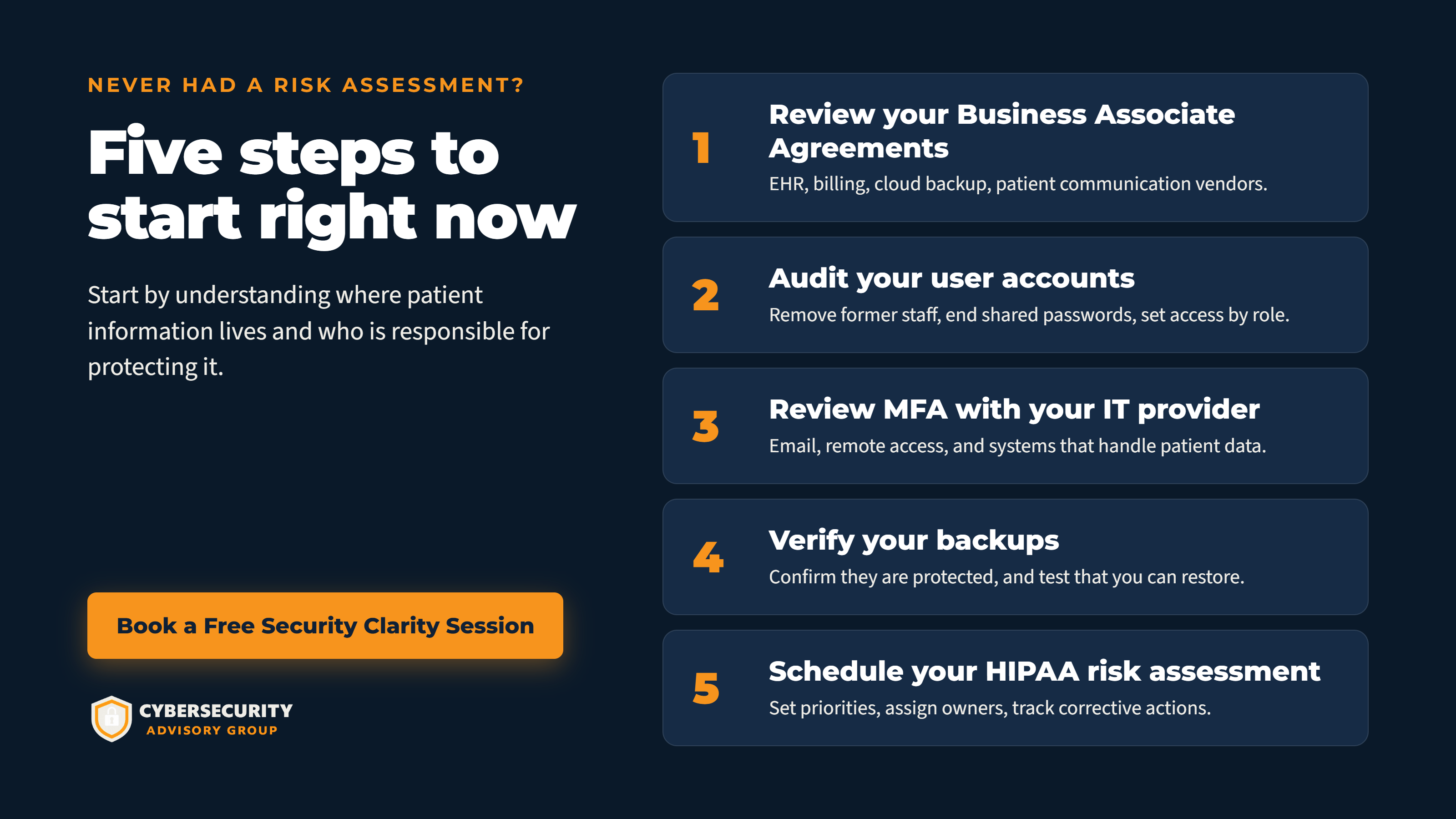
If you manage a dental practice and you are not sure where your security posture stands, here is where to start.
Step 1: Pull your Business Associate Agreements.
List every vendor that touches patient data: your practice management software, billing company, cloud backup service, email provider, telehealth or patient communication platform. Every one of them needs a current, signed BAA. If you cannot find it, it may not exist.
Step 2: Audit your user accounts.
How many people have login access to your practice management software? When did you last remove a former employee's access? Do any accounts share a password? Role-based access controls and immediate deprovisioning of departed staff are two of the simplest and most impactful things you can do.
Step 3: Turn on MFA.
Multi-factor authentication is a cyber insurance requirement today, it is one of the ten Essential HHS Cybersecurity Performance Goals, and it would become a HIPAA requirement under the proposed rule. Turn it on for your practice management software, your email, and your billing platform. If your software does not support MFA natively, that is a gap worth flagging immediately.
Step 4: Verify your backups.
When were your patient records last backed up? Where are those backups stored? Have you ever tested whether you can actually restore from them? Encrypted, tested, off-site backups are the single most important technical control for surviving a ransomware attack.
Step 5: Schedule a HIPAA risk assessment.
Everything above feeds into a formal risk assessment, but the risk assessment is also where you find the gaps you did not know to look for. For a practice that has never had one, a HIPAA risk assessment is the starting point for building a defensible security program.
Most dental practices are operating with a significant gap between the sensitivity of their patient data and the security controls protecting it. That gap is visible to OCR, to ransomware operators, and increasingly to cyber insurance underwriters.
Closing that gap does not require a massive IT budget or a full-time security team. It requires a documented risk assessment, a few basic technical controls, and written policies that reflect how your practice actually operates.
If you are not sure where your practice stands, a 15-minute conversation is enough to identify your biggest exposure points and what it would take to address them.
Schedule a Free 15-Minute HIPAA Gap Call with Cybersecurity Advisory Group →
Melissa Thornton, CISSP, is the founder of Cybersecurity Advisory Group and a veteran healthcare CISO with experience securing large health systems and building security programs from the ground up for small practices. Cybersecurity Advisory Group serves dental offices, mental health clinics, home health agencies, and specialty practices nationwide.
Connect with Melissa Thornton on LinkedIn
Updated September 2026 to correct the status of the proposed HIPAA Security Rule, the breach notification timeline, and the enforcement and breach figures cited.